

Adroit Enterprise OEE
The gold standard for measuring manufacturing productivity
A highly effective performance management tool that evaluates how effectively a manufacturing operation is performing - across single or multiple production lines and from one to several plants.
Overview
Highly effective performance management tool
A highly effective performance management tool that evaluates how effectively a manufacturing operation is performing. Adroit Enterprise OEE can be used on single or multiple production lines and from one to several plants.
The system accommodates discrete, continuous or batch manufacturing processes - giving management a consolidated view of efficiency performance regardless of geographic or operational complexity.
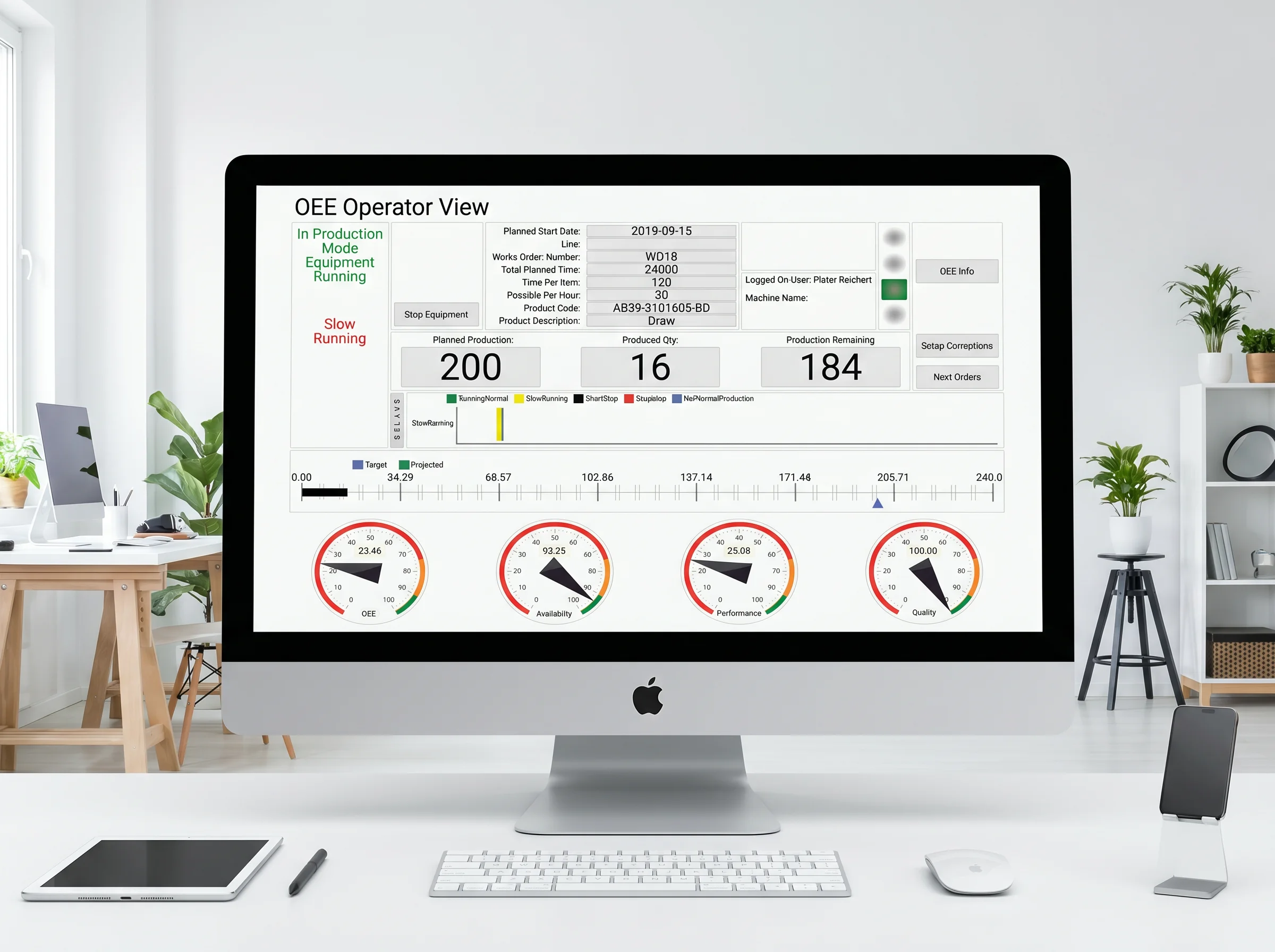
Adroit Enterprise OEE measures your operation against the internationally recognised OEE standard - quantifying the three pillars of manufacturing efficiency: Availability, Performance and Quality.
Availability
Availability is the ratio of operating time to planned production time. Availability of 100% means the process has been running with no unplanned stops.
Performance
Performance is the ratio of theoretical/ideal speed to actual speed. Performance of 100% means the process has been consistently running at its theoretical maximum speed.
Quality
Quality is the ratio of good parts to total parts. Quality of 100% means there have been no rejects or rework parts.
OEE
OEE takes into account all losses. An OEE score of 100% means you are manufacturing only good parts, as fast as possible, with no unplanned stop time.
Why Choose Us
Features & Benefits
An enterprise-grade OEE toolkit for performance measurement, real-time visibility and continuous improvement across single or multiple plants.
Production Insight
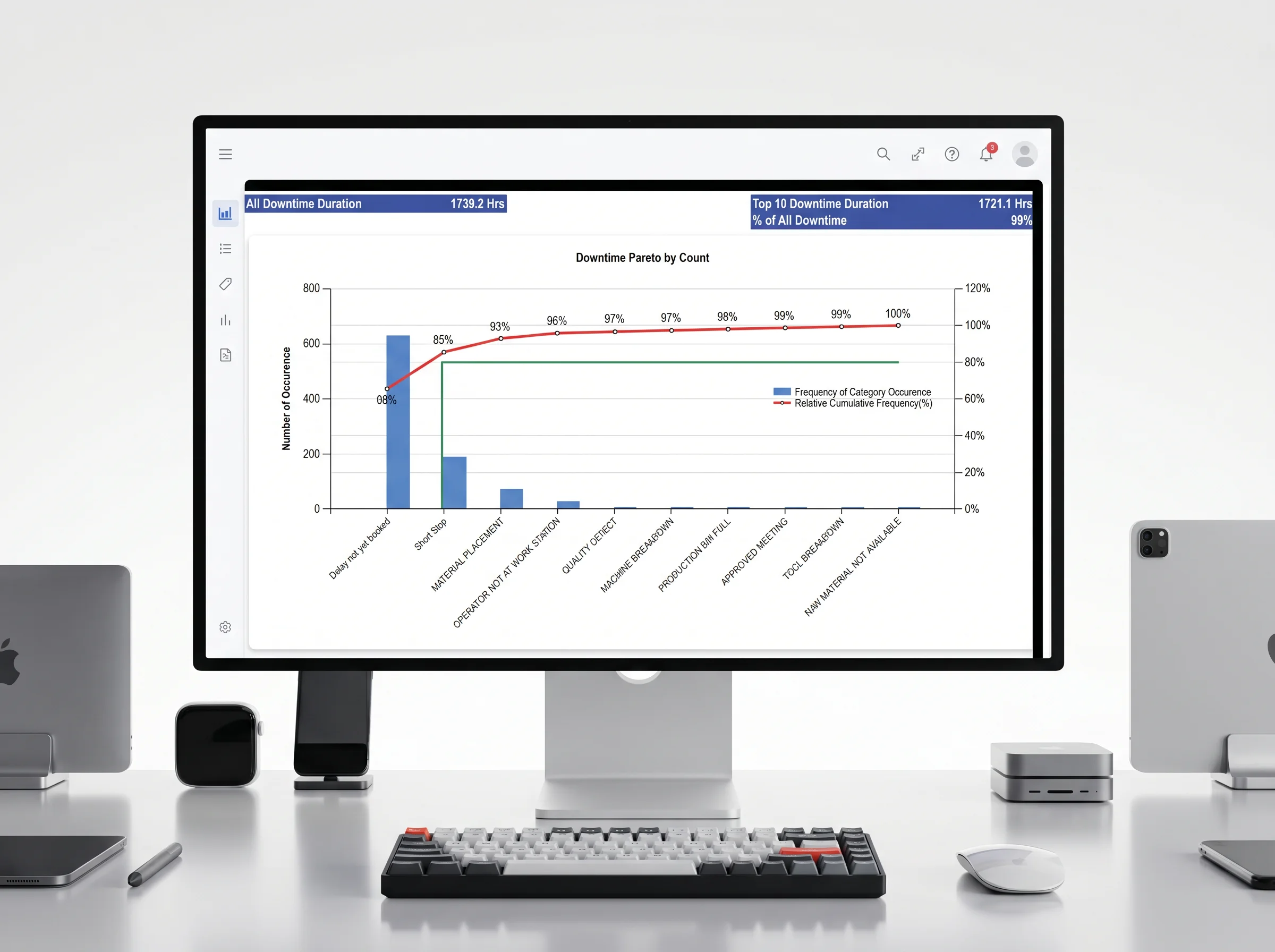
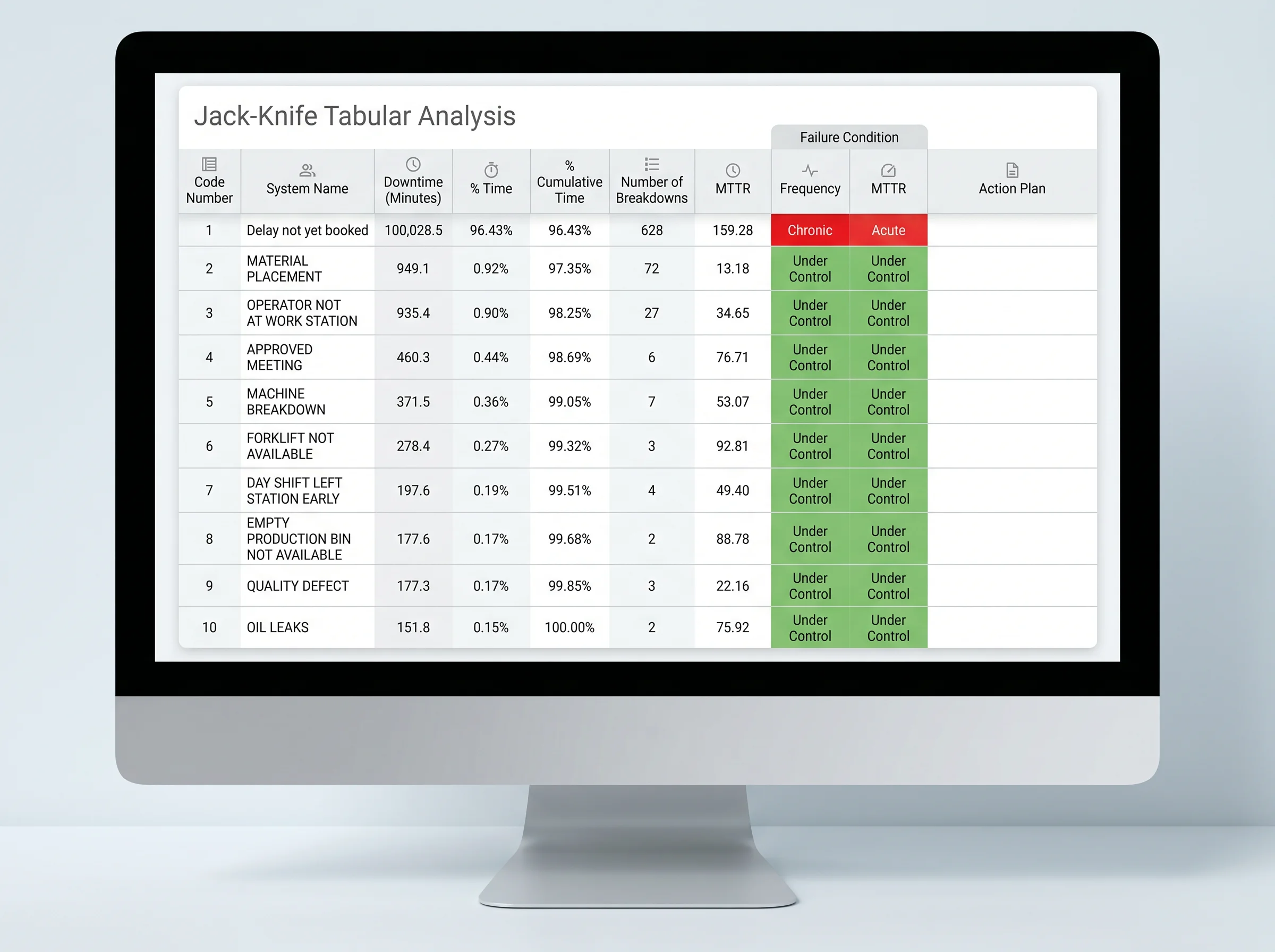
Live data reduces unplanned downtime and increases throughput - while identifying every stoppage and its root cause.
Visualising Performance
Real-time shop-floor visibility - intuitive dashboards and reports that make current performance and improvement easy for operators and managers to understand.
Increase Competitiveness
Problem identification improves efficiency and profitability - benchmarking sites, lines and shifts to drive enterprise-wide gains.
Enterprise OEE Documents
OEE Calculation
Preferred OEE Calculation
OEE delivers insight - a precise picture of how efficiently your manufacturing process is running. The role of Availability, Performance and Quality is to deliver precise information to find the cause of lost productivity. Understanding how your whole factory is performing at any given time is essential in keeping the focus on the most critical tasks at hand and not wasting time. "You can't manage what you can't measure."
Stack Lights
Visual status across every line
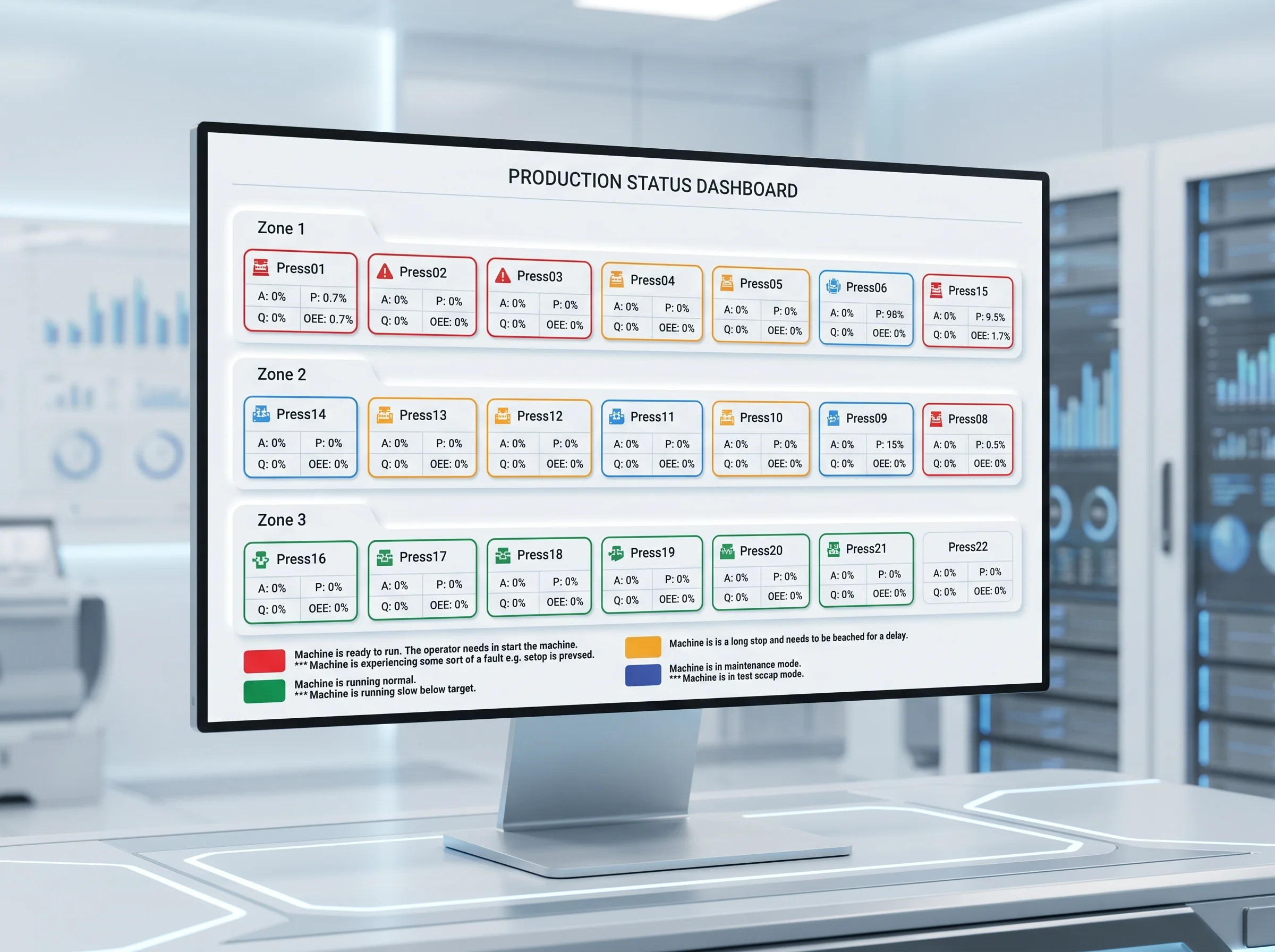
Colour-coded indicators give operators and supervisors instant visibility of every machine's state -
at-a-glance feedback across the plant.
Orange
The operator has an outstanding reason that needs to be booked; the fault that needs to be booked was caused by a machine stoppage that lasted for a longer time than a short stop period.
Blue
The first indication is a solid blue light, which means that the OEE is in maintenance mode. The second indication is a flickering blue, which means that the system is in tool setup mode.
Red
The first indication is a solid red light, which means that the machine is ready to run. The second indication is a flickering red light means that the machine is experiencing some sort of a fault.
Green
The first indication is a solid green light, which means that the machine is running normally. The second indication is a flickering green, which means that the machine is slow running - in other words, producing less than the target.
Operator View
17 functions for the shop floor
Order management, delay booking, maintenance call-outs, scrap handling and live status - everything an operator needs to keep the line running and the data accurate.
Load and Start Orders
Book Delays
Start / Stop Equipment
Maintenance View
Maintenance Callouts
Production Info
Production Totals
Scrap Handling
Log Off Operator
OEE Info
PLC Info
Status Bars
OEE Dials
Delay Details
Next 5 Orders in Queue
Production Status Info
Stack Light Info
Enterprise OEE
Measuring manufacturing productivity
Adroit Enterprise OEE
Questions often asked.
Enterprise OEE scales across single or multiple production lines and from one to several plants - giving management a consolidated view of efficiency across the whole organisation. The Application Solution is the equipment-level toolkit. Both run against the same internationally recognised OEE standard.
Yes. Enterprise OEE accommodates all three - discrete, continuous and batch manufacturing - so it suits food & beverage, automotive, mining and pulp & paper plants alike.
17 dedicated operator functions - load and start orders, book delays, start/stop equipment, maintenance view and callouts, production info and totals, scrap handling, OEE info and dials, PLC info, status bars, delay details, next 5 orders in queue, production status info and stack light info.
Four colours - orange (booking needed), blue (maintenance / tool setup), red (ready to run / fault) and green (running / slow running). Solid versus flickering each colour signals a distinct state, so supervisors can read a line at a glance.